Debrief your sim flights in 3D
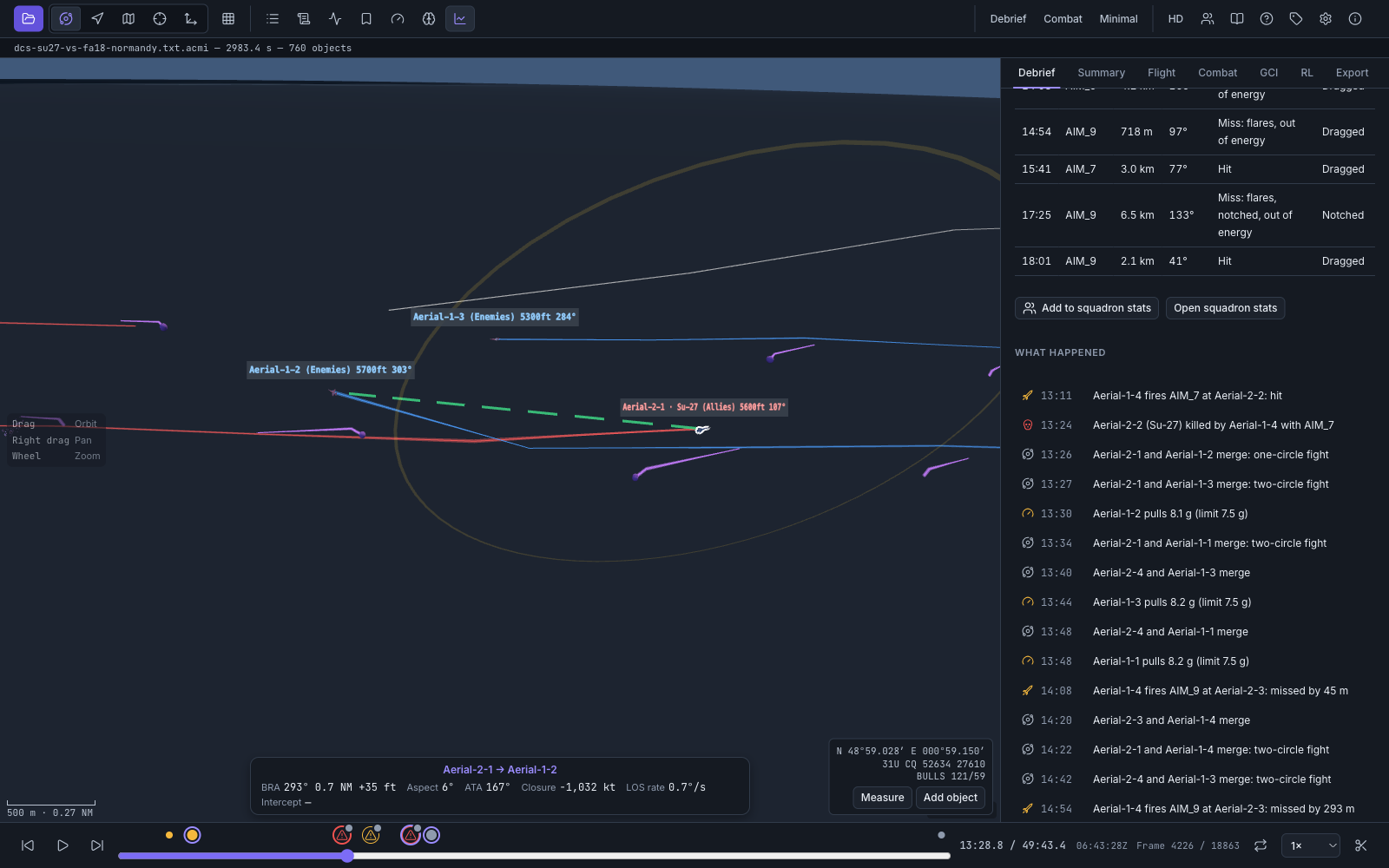
Open an ACMI recording from DCS World or Falcon BMS and replay the whole fight: every aircraft, missile and shot, from any angle, with a debrief of who shot whom and how each shot ended.
Open in your browserFree beta. No account, no install, no upload: your recordings stay on your computer.
What it does
-
Replay in 3D
Aircraft, missiles and ground units over a map or a tactical grid. Orbit, follow, top-down and cockpit cameras; play, pause, step and jump to any moment.
-
Debrief every engagement
Shots, hits, misses and kills, the chain of events behind each kill, and the timeline of who was where when it happened.
-
Reports and squadron stats
A report of the mission to print or share, CSV exports, and statistics that add up across your squadron's sorties.
-
Bookmarks and share links
Mark the moments that matter, add notes, and send a link that opens an online recording at the right second.
-
Big files, quickly
Recordings are read in the background with progress you can cancel, including
.zip.acmifiles. -
Private by design
Everything runs on your machine. No analytics, no tracking, no cookies. Privacy
How to start
-
Record a flight as an ACMI file (
.acmior.zip.acmi), the format DCS World and Falcon BMS recorders write. - Open Overmerge and drop the file on the window, or choose Open. No file to hand? Open the sample flight.
- Play it back and open the Debrief tab.
Desktop app coming soon
For Windows, macOS and Linux, with live sessions from your server and one-click DCS recording. Until then, everything above works in your browser.
Open in your browser